


问题标题
如何树形结构的表格中,设置树形结构的展开收起状态。
问题描述
通过配置,设置树形结构表格的展开收起状态,自定义树形结构的展现样式
解决方案
- 可在表格初始化的
option中配置hierarchyExpandLevel。该配置项定义如下:展示为树形结构时,默认展开层数。默认为 1 只显示根节点,配置为Infinity则全部展开。 - 也可以在表格完成初始化后,通过API获取某一个单元格的展开收起状态,通过API设置某个单元格的展开收起状态
// 获取某个单元格树形展开 or 收起状态
getHierarchyState(col: number, row: number) : HierarchyState | null;
enum HierarchyState {
  expand = 'expand',
  collapse = 'collapse',
  none = 'none'
}

// 表头切换层级状态
toggleHierarchyState(col: number, row: number): viod;</br>
代码示例
const option = {
  records:data,
  columns,
  widthMode:'standard',
  hierarchyExpandLevel: 2,
};
const tableInstance = new VTable.ListTable(container, option);

const state = tableInstance.getHierarchyState(0,1);
if (state === 'expand') {
    tableInstance.toggleHierarchyState(0,1);
}</br>
结果展示
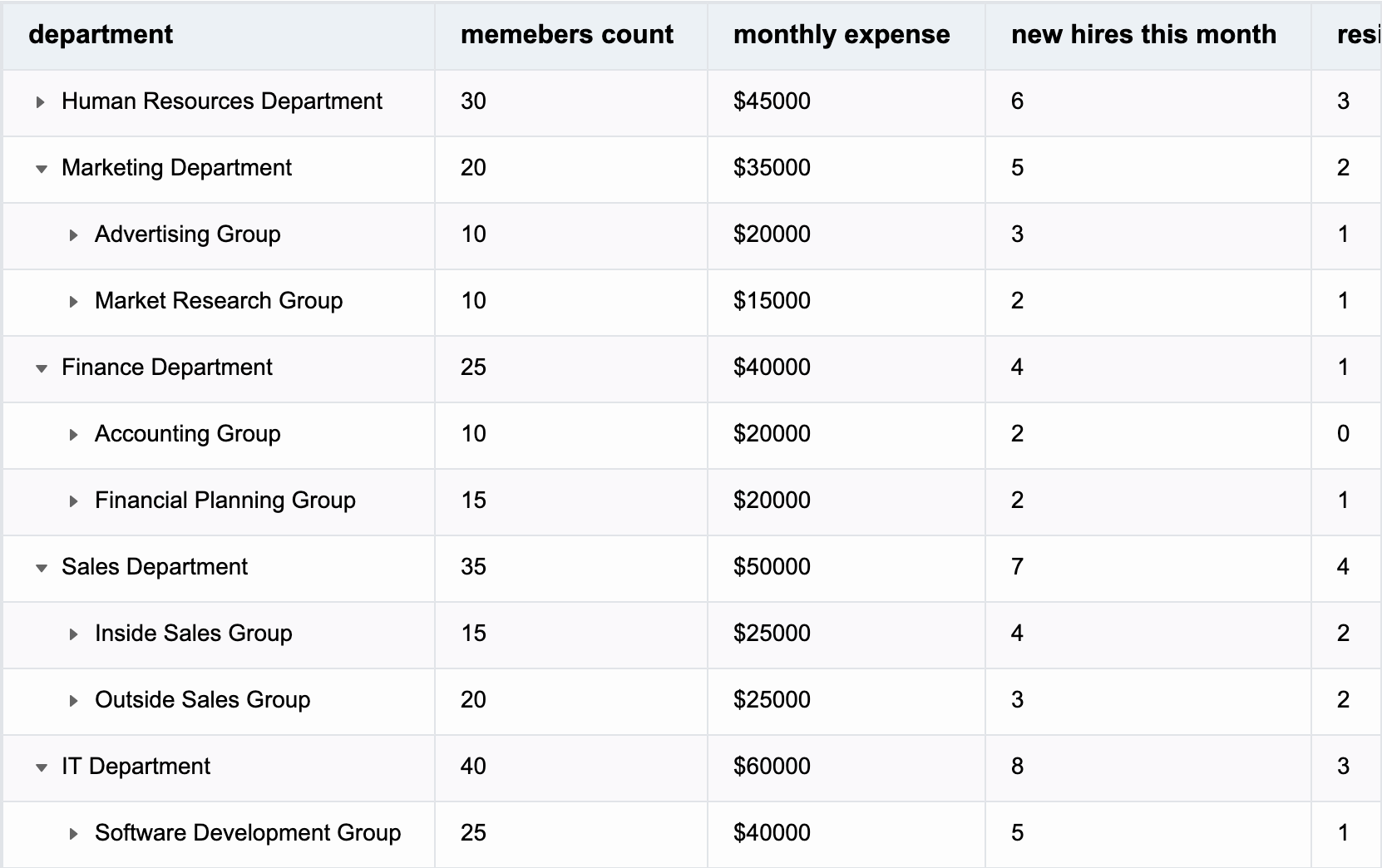
完整示例代码(可以粘贴到 编辑器 上尝试一下):
let  tableInstance;
  fetch('https://lf9-dp-fe-cms-tos.byteorg.com/obj/bit-cloud/VTable/company_struct.json')
    .then((res) => res.json())
    .then((data) => {

const columns =[
    {
        "field": "group",
        "title": "department",
        "width": "auto",
         tree: true,
         fieldFormat(rec){
            return rec['department']??rec['group']??rec['name'];
         }
    },
    {
        "field": "total_children",
        "title": "memebers count",
        "width": "auto",
        fieldFormat(rec){
          if(rec?.['position']){
            return `position:  ${rec['position']}`
          }else
          return rec?.['total_children'];
        }
    },
    {
        "field": "monthly_expense",
        "title": "monthly expense",
        "width": "auto",
        fieldFormat(rec){
          if(rec?.['salary']){
            return `salary:  ${rec['salary']}`
          }else
          return rec?.['monthly_expense'];
        }
    },
    {
        "field": "new_hires_this_month",
        "title": "new hires this month",
        "width": "auto"
    },
    {
        "field": "resignations_this_month",
        "title": "resignations this month",
        "width": "auto"
    },
    {
        "field": "complaints_and_suggestions",
        "title": "recived complaints counts",
        "width": "auto"
    },

];

const option = {
  records:data,
  columns,
  widthMode:'standard',
  hierarchyExpandLevel: 2,
};

tableInstance = new VTable.ListTable(document.getElementById(CONTAINER_ID),option);
window['tableInstance'] = tableInstance;

const state = tableInstance.getHierarchyState(0,1);
if (state === 'expand') {
    tableInstance.toggleHierarchyState(0,1);
}
    })</br>
相关文档
树形结构demo:https://www.visactor.io/vtable/demo/table-type/list-table-tree
相关api:https://www.visactor.io/vtable/option/ListTable#hierarchyExpandLevel
github:https://github.com/VisActor/VTable